How to Refer a Rider
HOVR Referral Program — How it works (Drivers & Riders)
Earn credit when a new rider signs up with your referral link or code and completes their first three rides. Terms apply.
Part A — Driver: Share your referral link or code
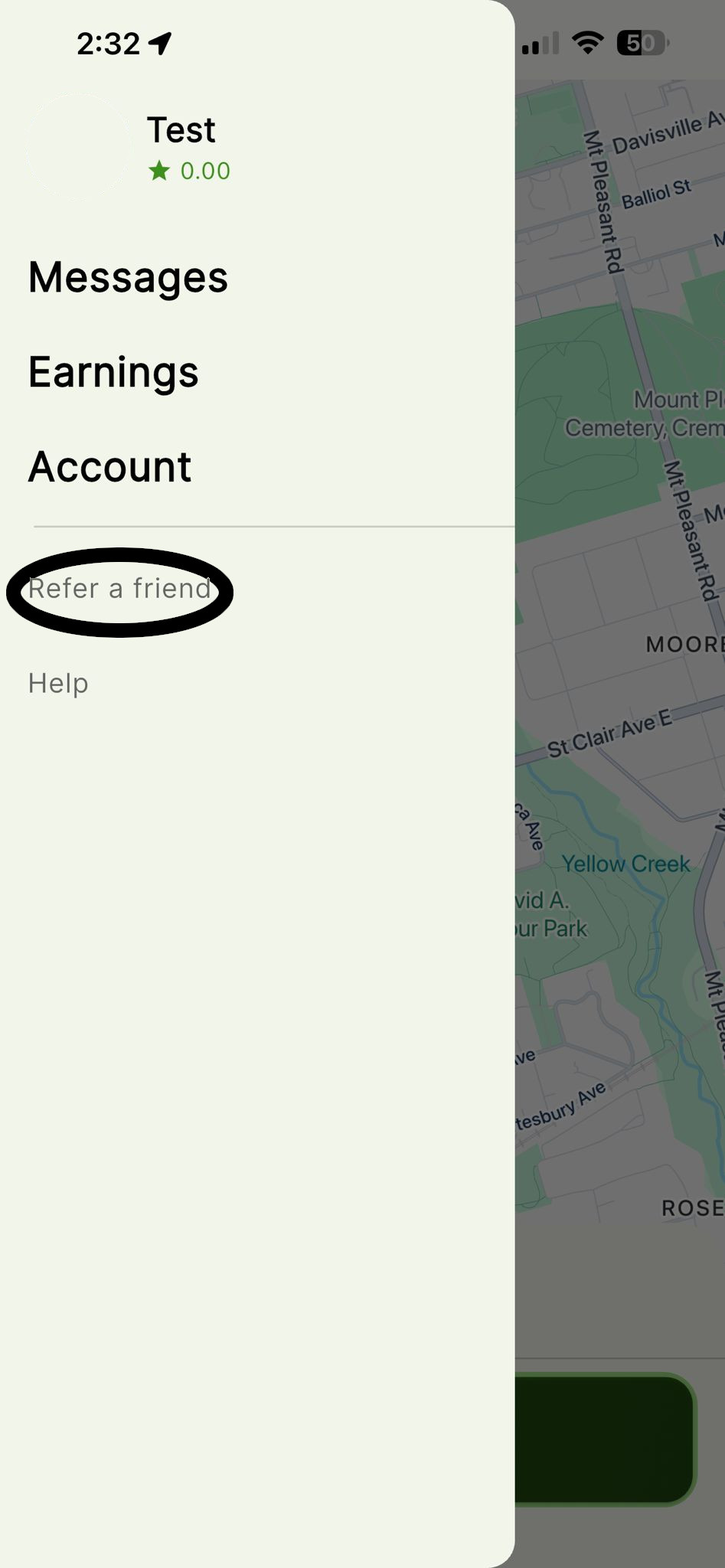
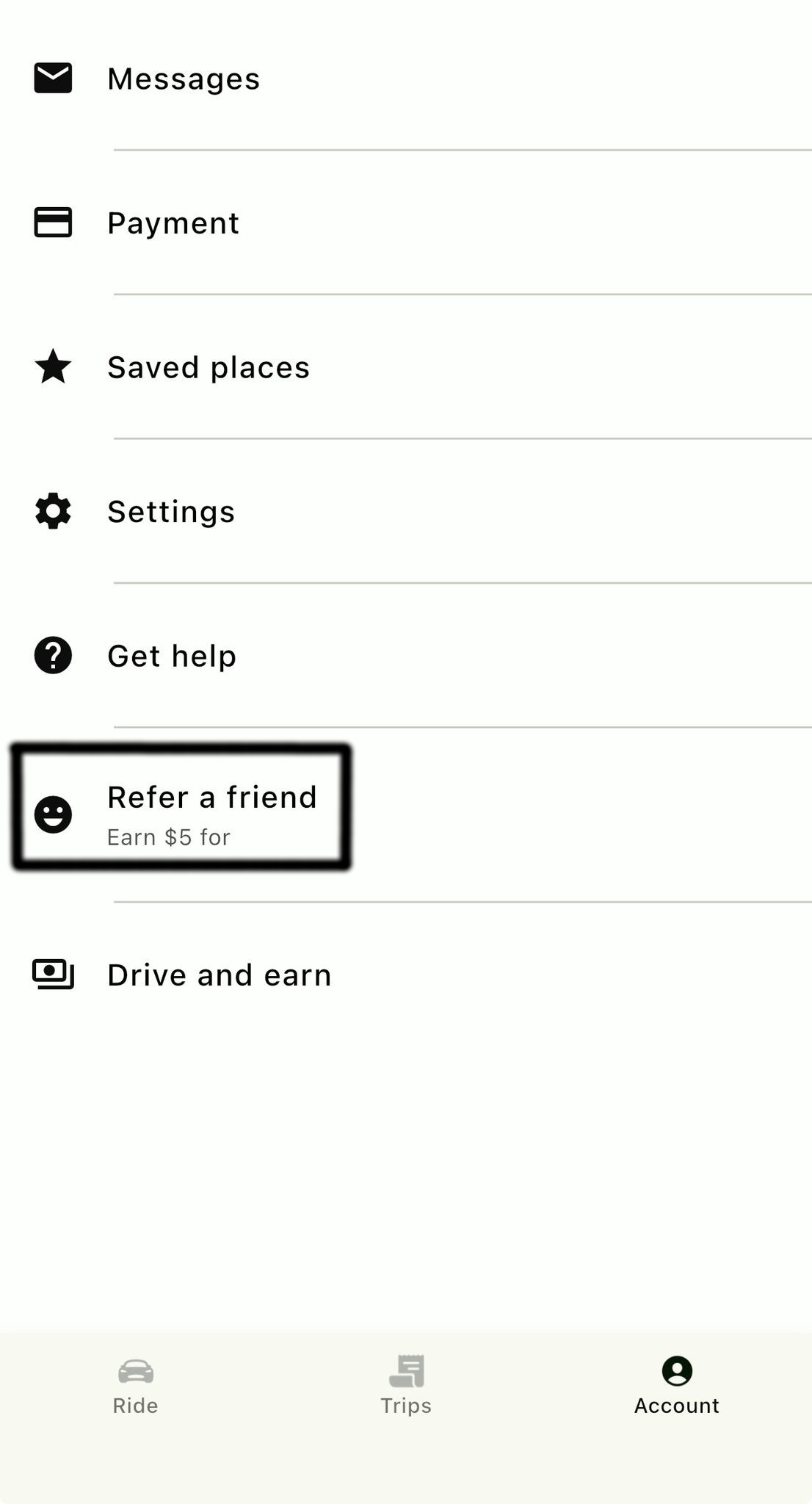
1) Open “Refer a friend”
From the Driver app, open the side menu and tap Refer a friend.
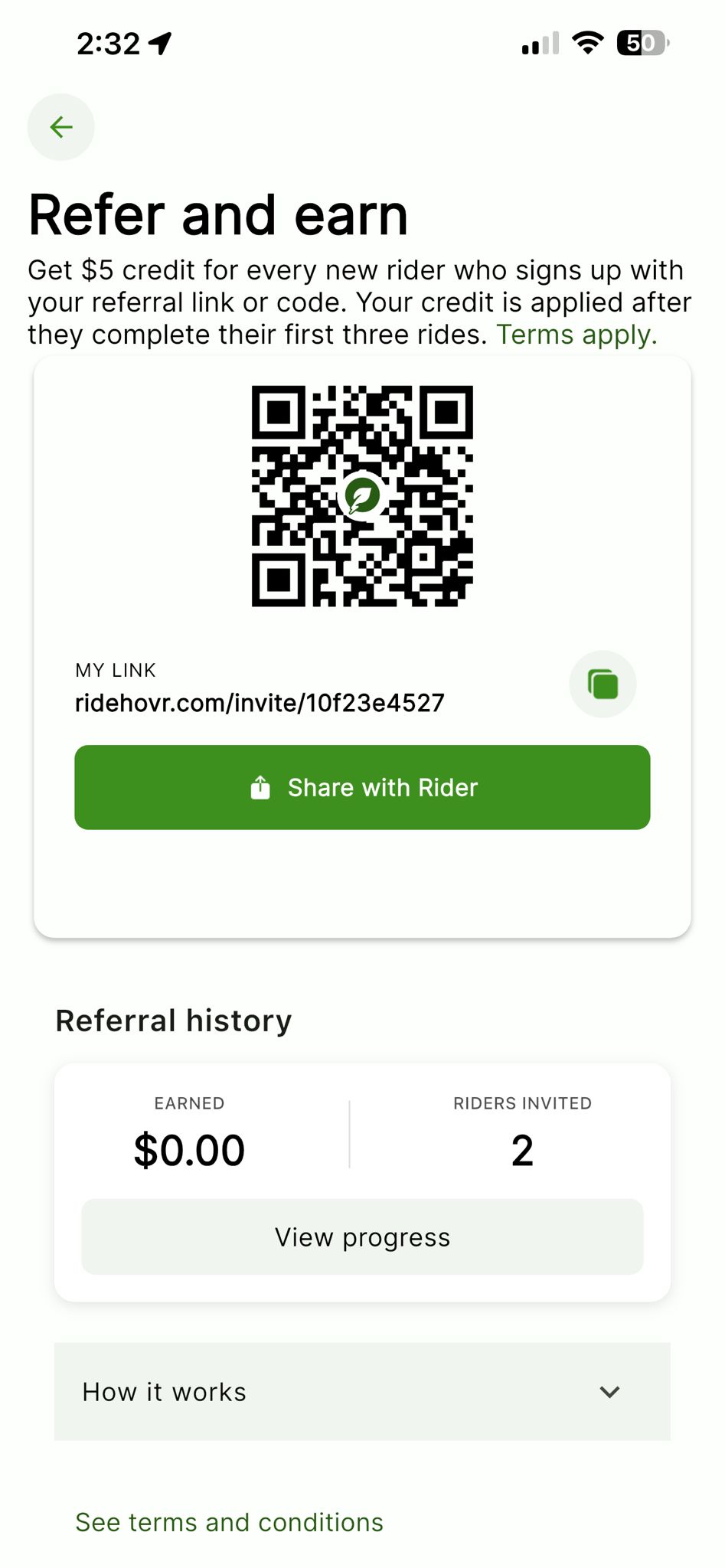
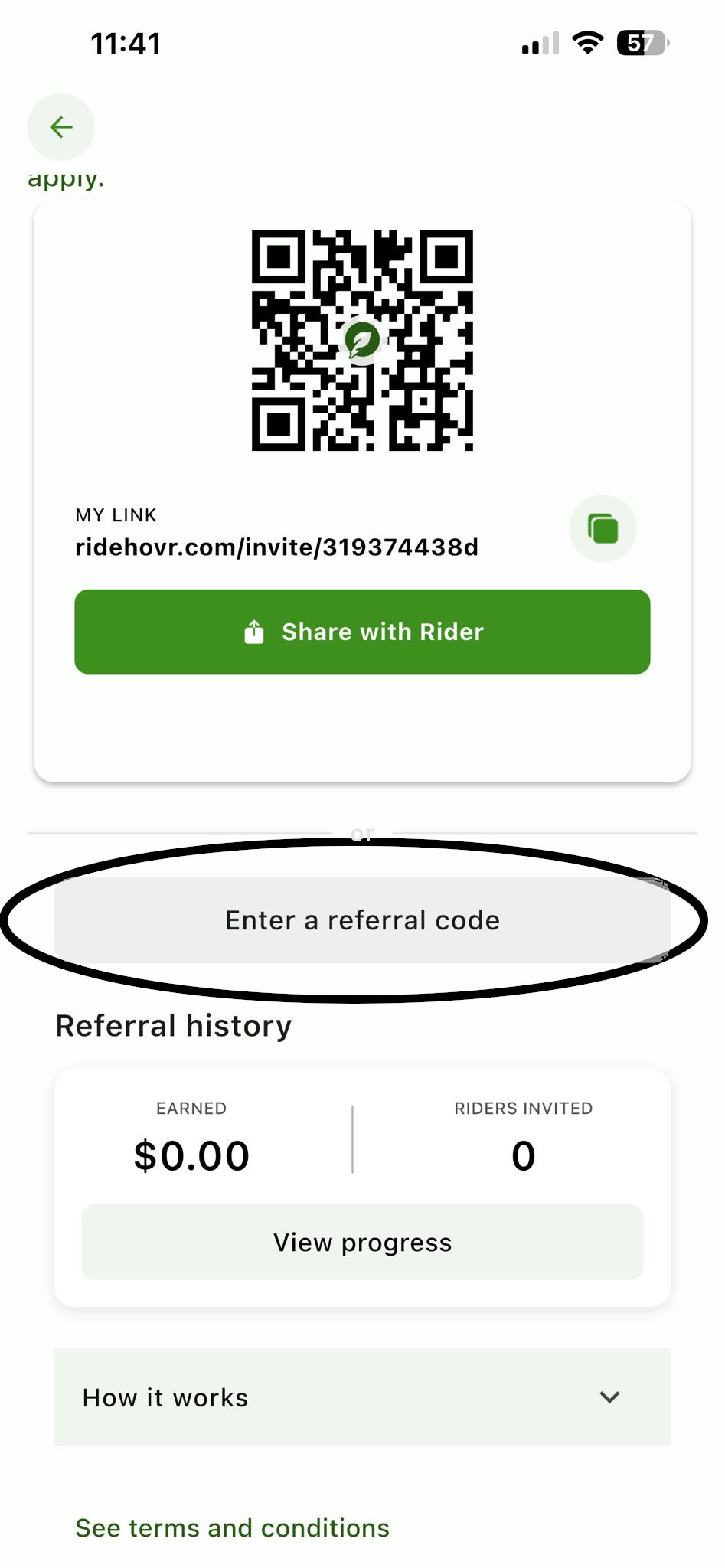
2) Share your link or QR
Your page shows a QR code and your unique link/code. Share it directly with riders or let them scan the QR.
Part B — Rider: Apply a driver’s referral code
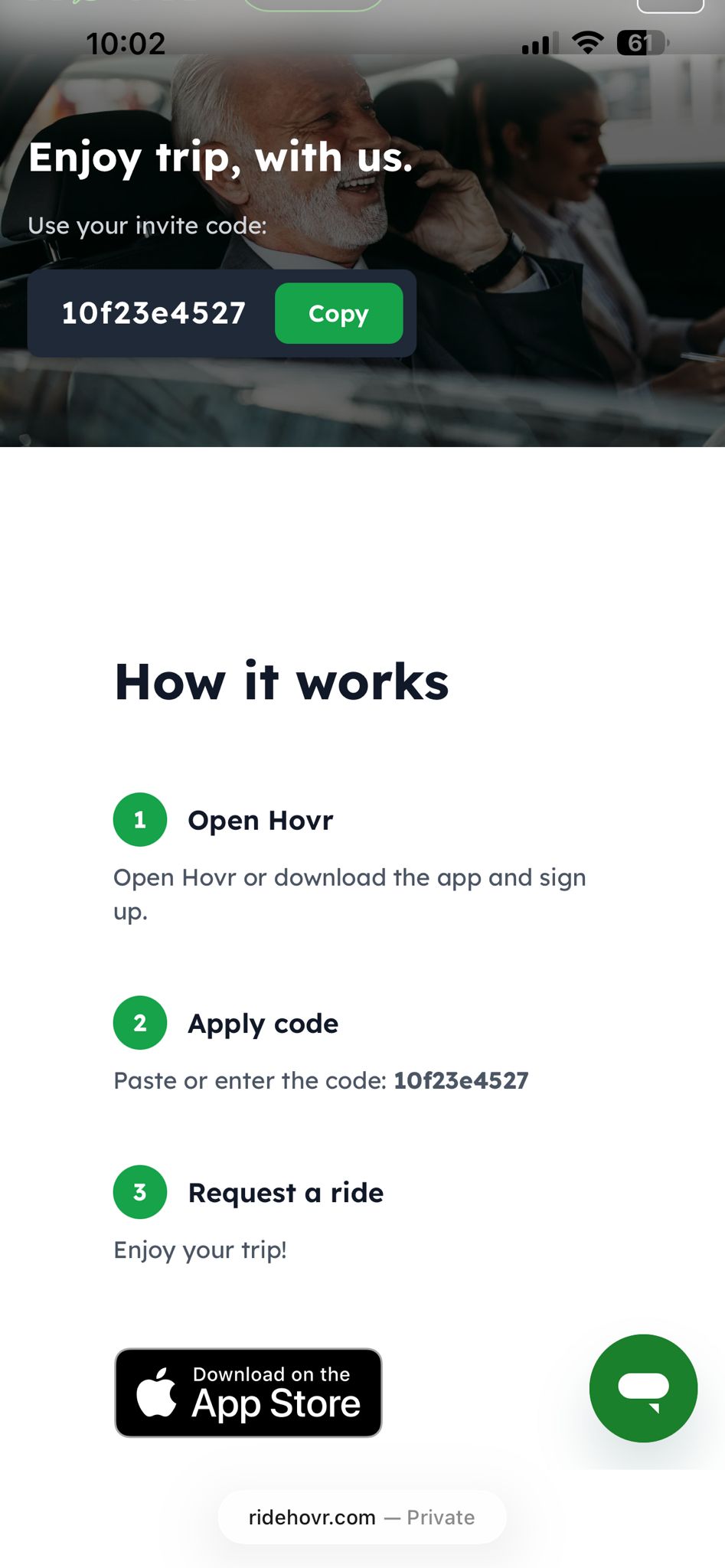
1) Scan & copy the code
Scan the driver’s QR code. You’ll land on a page that displays the invite code—tap Copy.
2) Download the HOVR app
Install from the App Store or Google Play, then sign up or log in.
3) Enter the code in the app
You can apply the code in either place:
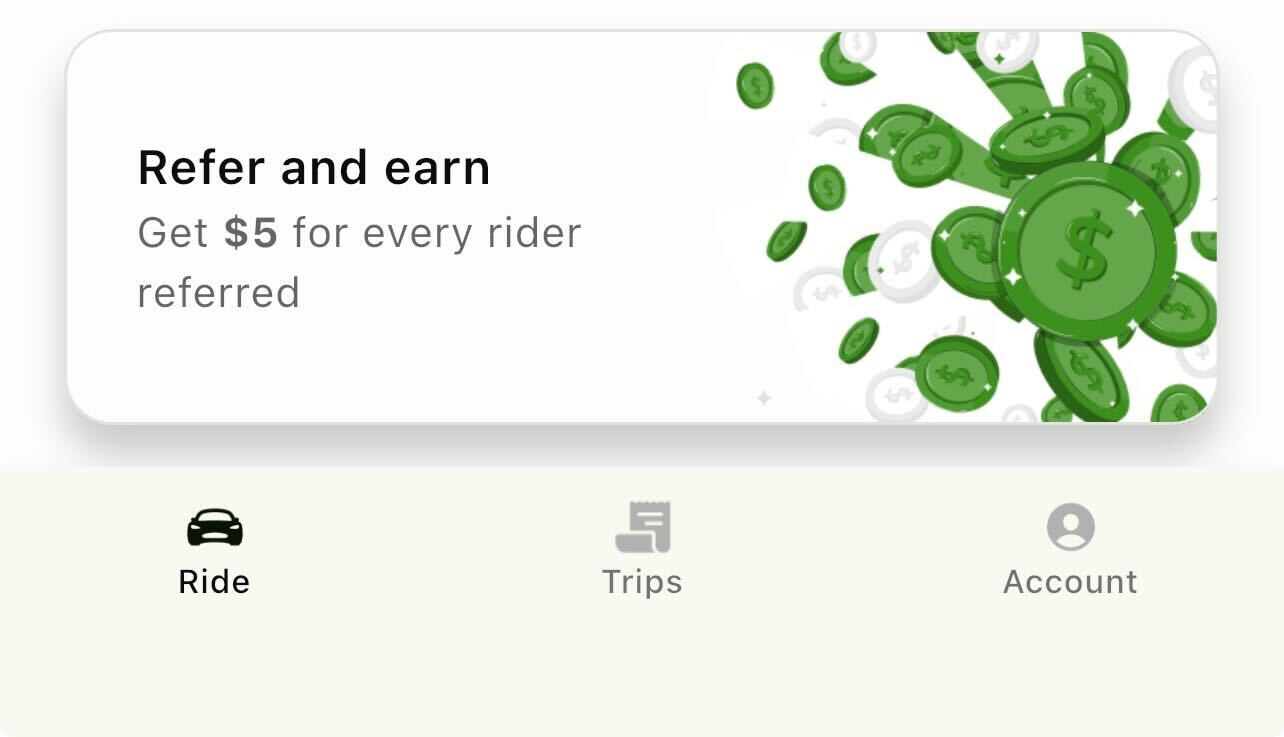
Option A — From the “Refer & earn” banner
Open the main menu, tap Refer & earn, then select Enter a referral code.
Option B — From Account
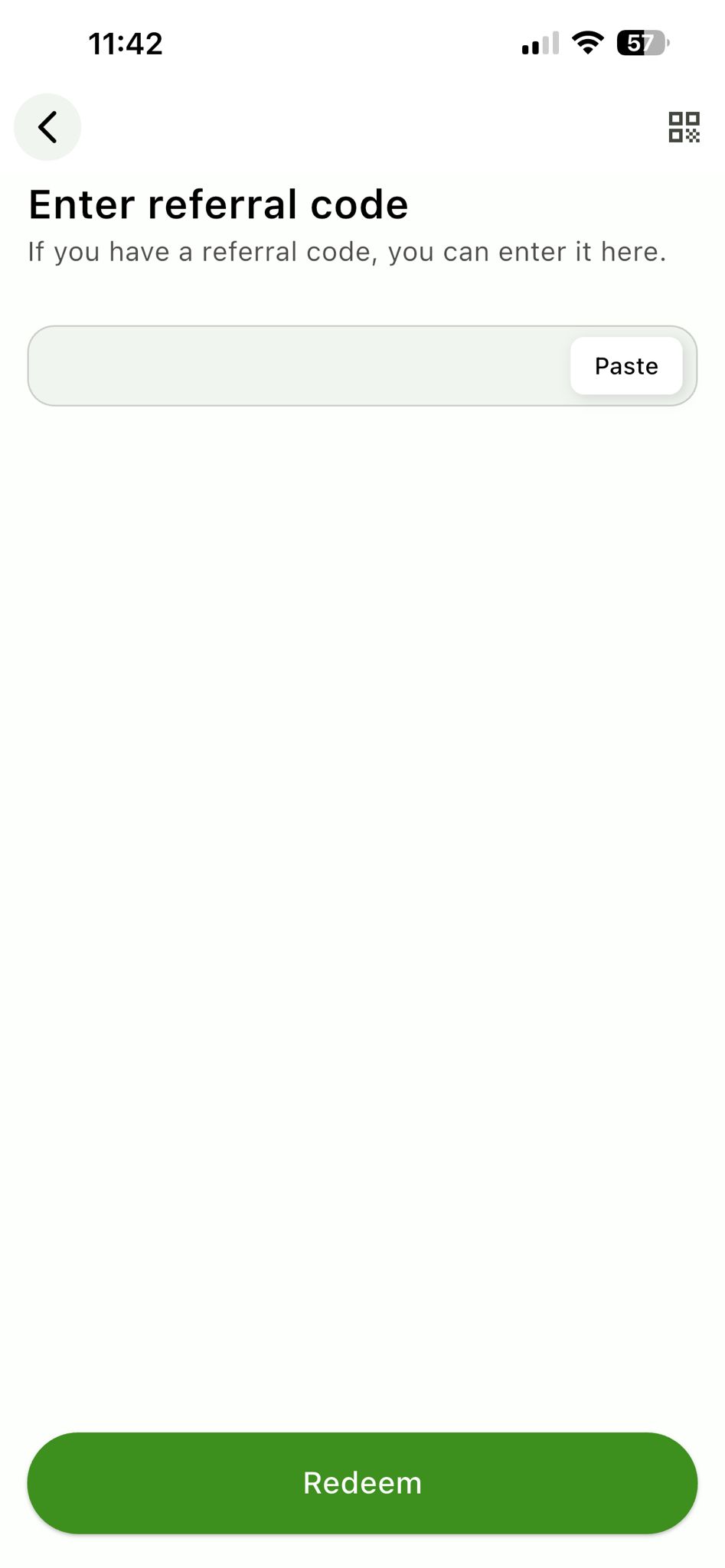
Go to Account → Refer & earn → Enter referral code, paste the driver’s code, then tap Redeem.
Track progress
Riders and drivers can view referral progress and history in the Refer & earn section of the app.
Tips & Troubleshooting
- Code not accepted? Make sure the rider is signed in and hasn’t used a referral code on this account before.
- Didn’t see the banner? Update the app to the latest version and check Account → Refer & earn.
- Credit timing: Driver credit applies after the new rider completes their first three rides.
- Terms: Look for See terms and conditions at the bottom of the Refer & earn page.